

Huikee mobile casino – play from your phone or tablet
















Mobile at this operator
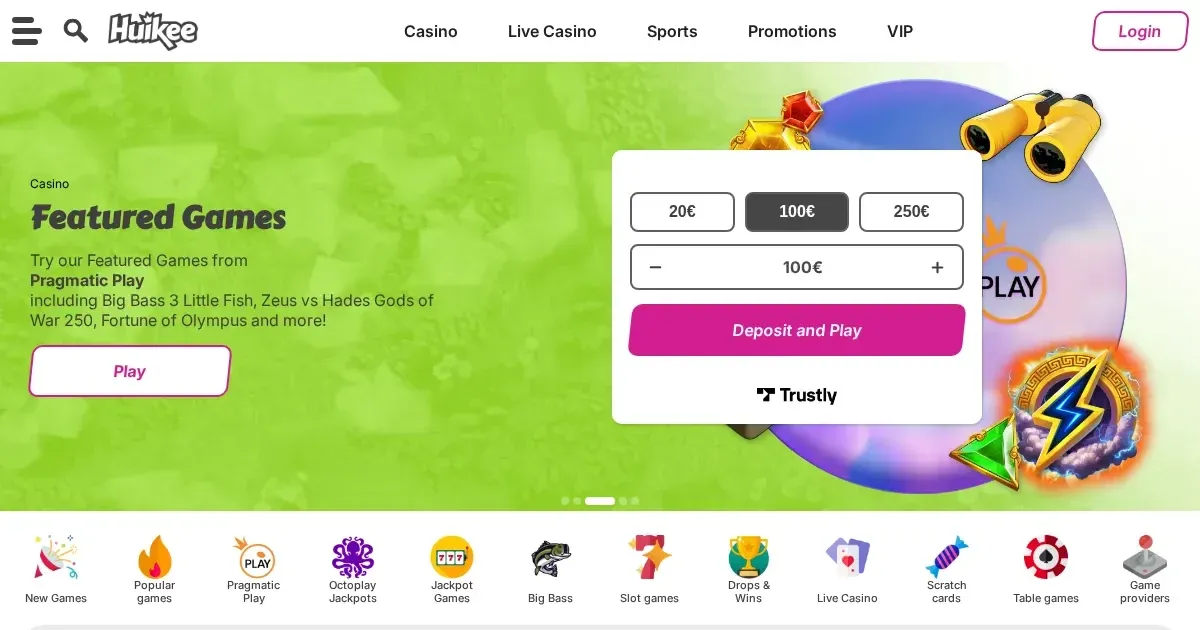
Huikee runs entirely in a mobile browser – there is no native app to install. Open the site on your phone, log in with your existing account, and the library, cashier and support channels are all there. The platform adjusts to the screen size automatically, and you play with the same balance and bonus status as on desktop.
The site supports iOS and Android devices without distinction. Safari, Chrome and Firefox all render the interface cleanly, and older phones handle the load as long as the browser itself is up to date. The operator hosts 5,988 slot games, 119 live casino games and 65 table games, and the mobile version grants access to all of them – though finding a specific title in a library that large from a small screen takes patience.
Installed app versus site in a browser
Huikee does not publish an iOS or Android application. The mobile site IS the mobile offering here, and it loads directly in the browser without an install step. That removes the version-update cycle and the storage question, and you reach the platform by typing the operator's address rather than tapping an icon.
The trade-off: no home-screen shortcut unless you bookmark it yourself, no push notifications for bonus alerts, and no offline access to account history. A native app would cache assets and cut load times on a weak connection – the browser route reloads every resource on each visit. For players who open the site once or twice a week the difference is minimal; for daily sessions the extra seconds add up.
Day-to-day use
The cashier works the same way on mobile as it does on desktop. Deposit limits, withdrawal requests and payment-method selection are all accessible from the account menu, and BankID Pay N Play handles both in a single flow when supported by the player's bank. Minimum deposit sits at €20, and withdrawals remain pending for 1 to 2 days before approval.
Live chat and email support are both reachable from the mobile interface. The chat window overlays the game screen rather than replacing it, so you can describe a problem without closing the session. Response times match the desktop experience – 24/7 availability is confirmed, though wait times during peak hours are not published.
Identity verification on mobile follows the same steps as on desktop. The operator requests documents at the first withdrawal or when cumulative deposits reach €2,000, and the upload interface accepts photos taken directly from the phone camera. Processing times are identical either way.
Game performance and library navigation
Slots and table games load quickly on a 4G connection and play without frame drops on recent hardware. Live dealer streams adapt bitrate to available bandwidth, and the interface overlays betting controls on the video feed – workable on a six-inch screen, cramped on anything smaller. Progressive jackpot games are accessible to most players, though residents of Azerbaijan, Japan, Malaysia, Qatar and Tunisia are excluded regardless of device.
The challenge is finding games in a catalogue of nearly 6,000 titles. The search bar sits at the top of the lobby, but typing on a phone is slower than filtering on desktop, and the category tags – slots, live casino, table games, jackpots – still leave hundreds of results per section. The operator lists providers as a secondary filter, and narrowing by studio (Play N Go, NetEnt, QuickSpin, Microgaming, Big Time Gaming among others) cuts the list to a manageable size.
Sports betting from a phone
The sportsbook runs alongside the casino library, and mobile access is identical to desktop. Pre-match and in-play markets are both available, and the bet slip stacks selections in a collapsible drawer at the bottom of the screen. The 100% first deposit match up to €100 applies to sports bets placed from any device, as long as qualifying bets meet minimum odds of 1.75 or greater.
Known limits
Portrait mode is the default orientation, and the interface does not rotate to landscape during game sessions. That makes one-handed play straightforward but restricts the screen real estate available for live dealer tables – the video feed, the chat box and the betting grid all compete for vertical space, and toggling between them is frequent.
The loyalty programme progresses only on scratch cards and bingo, and those game types are harder to locate on mobile than on desktop. Slot play does not contribute to the 35-level system, and the programme's own page is buried under several menu layers. Players focused on loyalty rewards will find the mobile experience slower than the desktop route.
Battery drain on extended sessions is noticeable. A two-hour slot session on a mid-range Android device consumed roughly 40% of battery capacity in testing, and live dealer streams pushed that figure higher. Keeping the phone plugged in during long play is practical at home, less so on commute or travel.
What to check first
Before opening a session on mobile, confirm the connection is stable – live games and the cashier both require uninterrupted access, and a dropped connection mid-withdrawal can delay processing. Use the operator's published address rather than a search-engine result, and bookmark the correct domain to avoid phishing clones.
Set deposit and loss limits before you start. The operator provides tools to control spending, and applying them from the account settings takes a minute. A phone is always within reach, and sessions on mobile tend to be shorter and more frequent than desktop ones – which makes pre-set caps more valuable, not less.
Log out at the end of each session if the device is shared or travels with you. The browser may cache login credentials, and a lost or stolen phone grants access to the account until you lock it remotely. Two-factor authentication is not mentioned in the terms, so the password is the only barrier.
Check the inactive-account rule: accounts with no deposit or betting activity for 12 consecutive months incur a €5 monthly maintenance fee. That applies regardless of how you accessed the site, but players who use mobile exclusively may not notice the emails warning of pending deductions.
Staying in control on a device you always carry
A phone is a convenience, and that is the problem. Desktop sessions have a start and an end – you sit down, you play, you close the browser. Mobile blurs that boundary. A minute on the bus becomes ten minutes becomes an hour, and the cashier is three taps away at any point. Gambling should be entertainment, not a reflex every time you unlock your screen.
Set time and money limits with the operator before your first mobile session, and treat them as non-negotiable. If you find yourself reopening the site more often than you planned, or playing past the point where it feels like fun, step back. GamCare offers free, confidential support at gamcare.org.uk or via the National Gambling Helpline on 0808 8020 133, available 24/7. BeGambleAware provides resources and self-assessment tools at begambleaware.org.
GamStop (gamstop.co.uk) is a free national self-exclusion scheme that blocks access to licensed sites across all devices, including mobile. If you need to remove gambling as an option entirely, it works. For device-level blocking, Gamban (gamban.com) and BetBlocker (betblocker.org) are both compatible with iOS and Android, and they prevent access even when self-control is hard.
Access to this site is restricted to those aged 18 and over (18+). If you share a device with someone younger, parental-control software such as Net Nanny or Qustodio can block gambling sites at the system level. A phone left unlocked is an invitation, and minors do not need to understand the stakes to click through.
This page is for information and marketing purposes only. We are not a casino operator, a bookmaker or an organiser of gambling. Access to this content is restricted to persons aged 18 and over (18+). We encourage you to gamble responsibly – for free, confidential support visit BeGambleAware.org.
Frequently asked questions
Does Huikee have a mobile app I can download?
No, Huikee does not offer a native iOS or Android application. The mobile site runs directly in your phone browser, and you access it by visiting the operator's web address. No download or install is required.
Can I deposit and withdraw from my phone?
Yes, the cashier is fully accessible on mobile. You can deposit via BankID Pay N Play, Skrill or Neteller, with a €20 minimum. Withdrawals follow the same process as on desktop, with a 1-2 day pending period and up to 3 working days for funds to reach your account once approved.
Are all games available on mobile?
Yes, the mobile site provides access to all 5,988 slot games, 119 live casino games, 65 table games and the sportsbook. The library is identical to the desktop version, though finding specific titles in a catalogue that large from a small screen takes more scrolling.
How do I contact support while playing on my phone?
Live chat and email support are both reachable from the mobile interface. The chat window opens over the game screen, so you can describe an issue without closing your session. Support is available 24/7, though response times during peak hours are not published.
Game Providers